With SigePay Standard and Express, you can easily and safely receive online payments from your customer.

Updated: August 18, 2024
To install WooCommerce Plugin in your admin panel, you need to first click on the download button to get the plugin file on your computer.
After downloading the plugin (which will be a zip file), you will need to go to WordPress admin area and click Plugins
To install WooCommerce Plugin in your admin panel, you need to first click on the download button to get the plugin file on your computer.
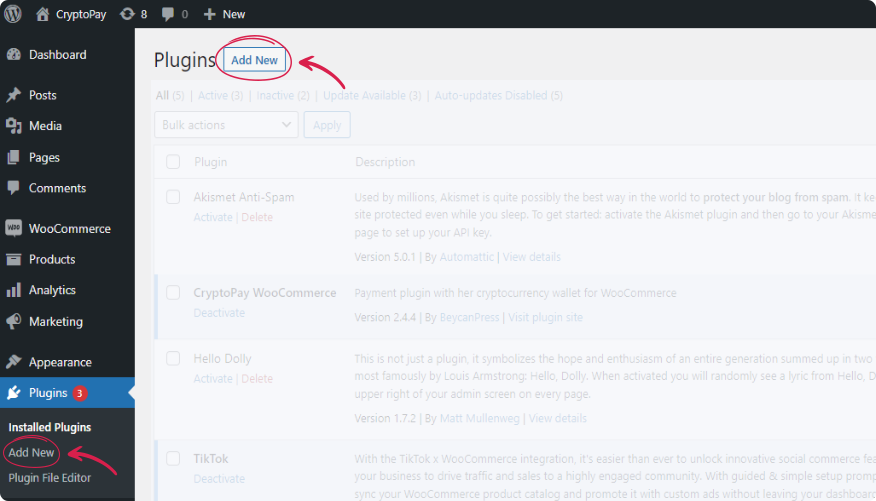
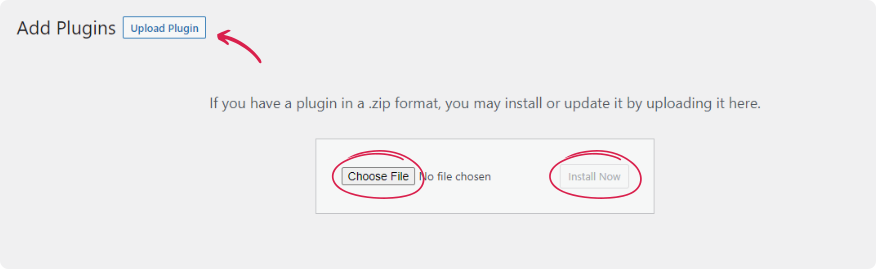
After that, you will an Upload Plugin button on top of the page. Click here that bring you to the plugin upload page. Here you need to click on the choose file button and select the plugin file you downloaded earlier to your computer.
After upending your WooCommerce plugin file, you need to click on the install now button.